★★★★★
"Finally, an app that keeps my screen awake indefinitely while I'm cooking. No more flour on my tablet! 5/5"
S
Sarah M.
Keep your Android display awake infinitely or for a custom duration using highly optimized Android Foreground Services. Never sleep screen again while studying, cooking, giving presentations, or using your device as a stunning digital bedside clock.
Download on Google Play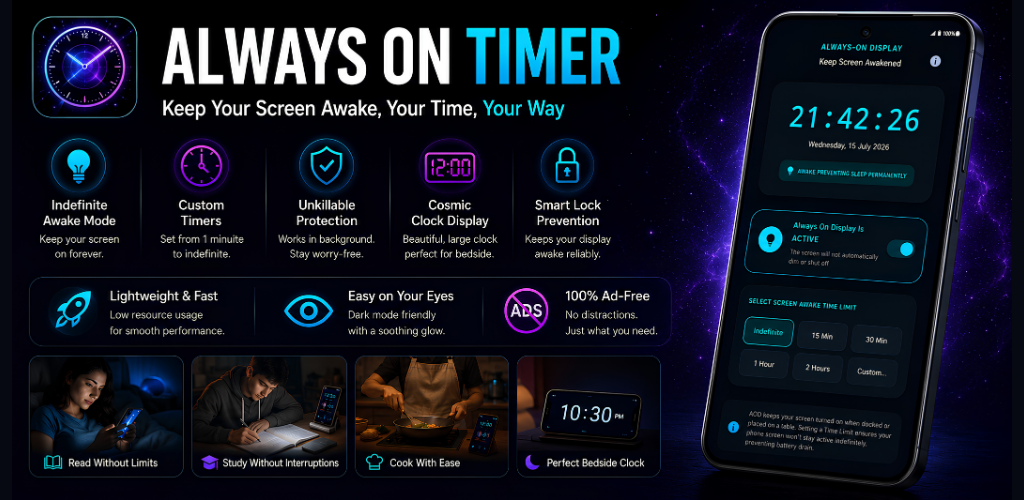
See how users are optimizing their workflows and keeping their screens awake.
"Finally, an app that keeps my screen awake indefinitely while I'm cooking. No more flour on my tablet! 5/5"
"The perfect bedside clock. The OLED dark mode prevents battery drain while keeping the screen on all night."
"A must-have for developers and students. I use the 2-hour custom timer to keep my screen awake while reading documentation."
The Android operating system is designed to aggressively trigger a screen timeout to save battery. While this is great for normal usage, it becomes incredibly frustrating when you need to keep your screen on for specific tasks. Always On Timer solves this problem permanently.
Instantly override your system's screen timeout settings with a single tap. No need to dig through Android settings every time you want your display awake.
Engineered to be incredibly lightweight. When the timer isn't running, the app consumes absolutely zero battery power. It only engages Android WakeLocks when explicitly requested.
We believe utility apps shouldn't harvest your data. Always On Timer requires no accounts, contains no hidden trackers, and works 100% offline.
Transform your device into a premium bedside clock. The ultra-dark interface prevents eye strain at night while keeping the time perfectly visible.
Don't want your screen on forever? Set a precise custom timer from 1 minute up to 24 hours. The screen will automatically revert to normal behavior when time expires.
Built following Google's latest Material Design 3 guidelines. Enjoy glassmorphism effects, smooth animations, and a gorgeous, modern interface.
Always On Timer isn't just an app; it's a productivity enhancer. By keeping your screen awake, you eliminate the friction of constantly touching your device.
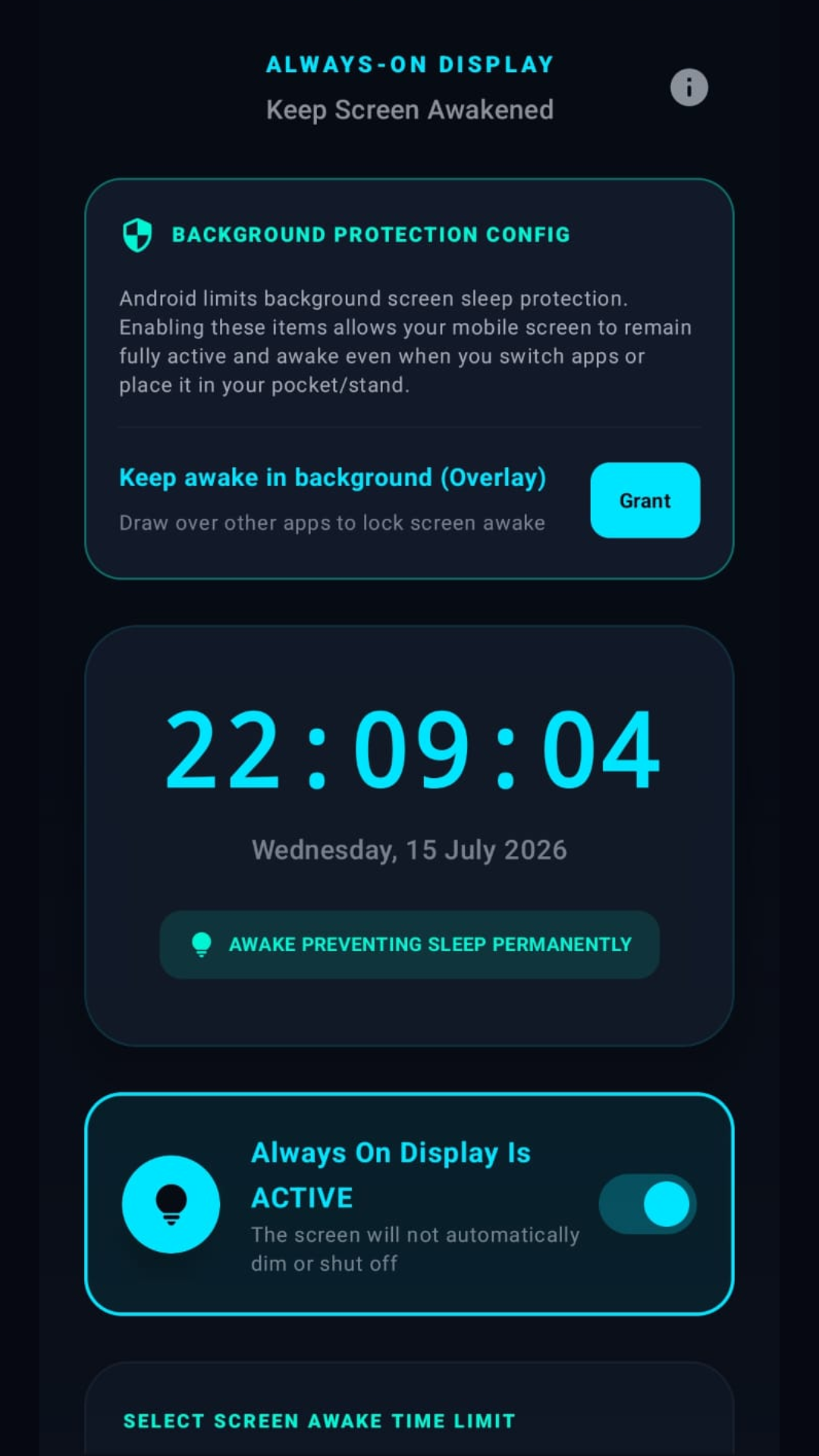
Android is extremely aggressive about putting apps to sleep (Doze mode) and forcing a screen timeout. To combat this, Always On Timer utilizes specialized Android APIs to ensure rock-solid reliability.
When you activate the timer, the app launches an Android Foreground Service. This tells the Android operating system that the app is performing a critical user-facing task. We then acquire a SCREEN_DIM_WAKE_LOCK or SCREEN_BRIGHT_WAKE_LOCK depending on your settings.
This architectural approach ensures that no matter what device manufacturer you use (Samsung, Google Pixel, Xiaomi, OnePlus), the system will respect your command and never sleep screen until you explicitly turn it off.
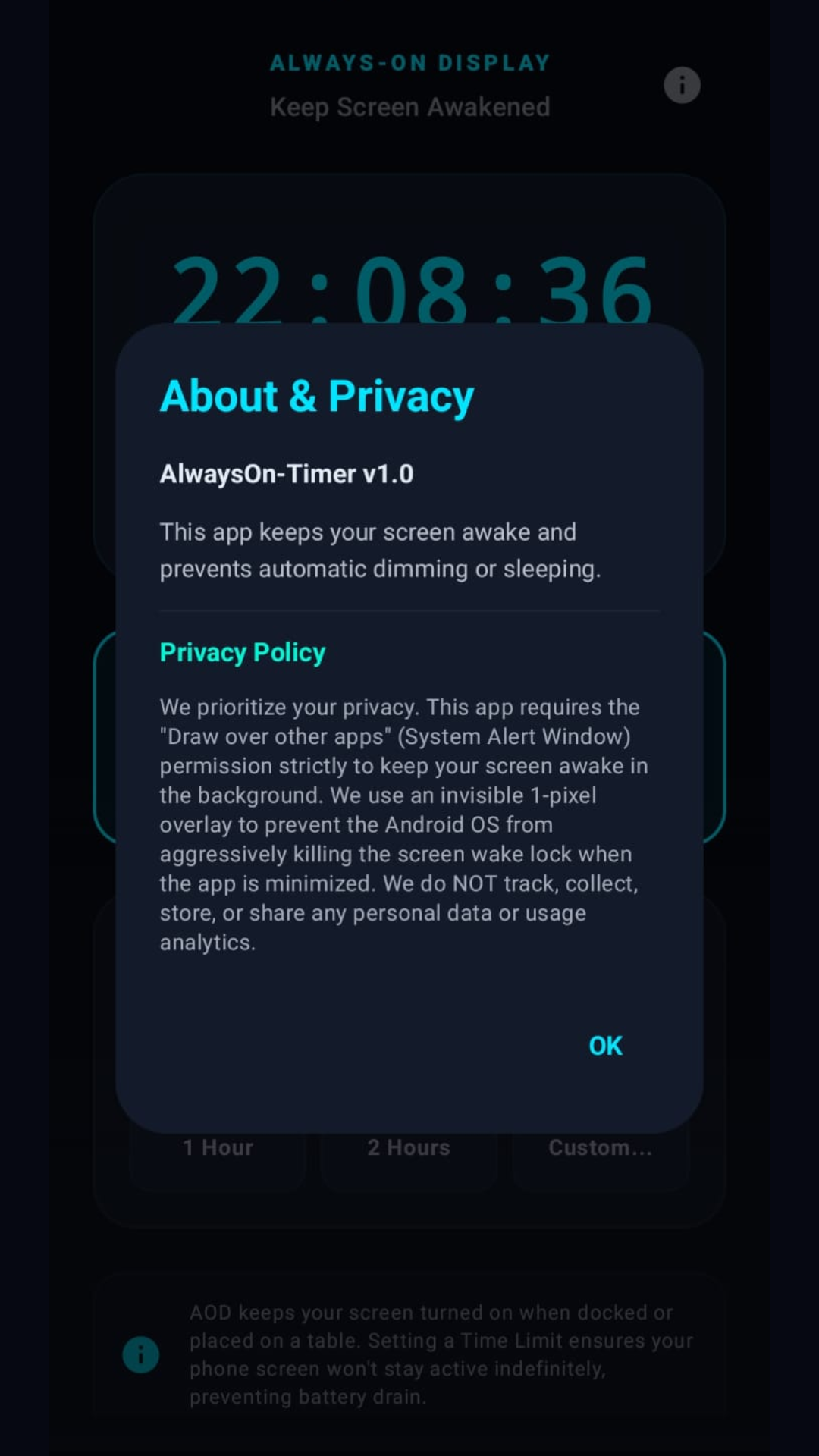
The app itself uses zero background battery. Power is only consumed by your physical screen hardware while the display is awake.
Yes, it utilizes native Android Foreground Services to bypass aggressive battery optimization on all major devices.
100% offline. No internet permission, no analytics, no tracking.
Join thousands of users who have optimized their digital workflows and nightstands. Download Always On Timer for free on the Google Play Store.
